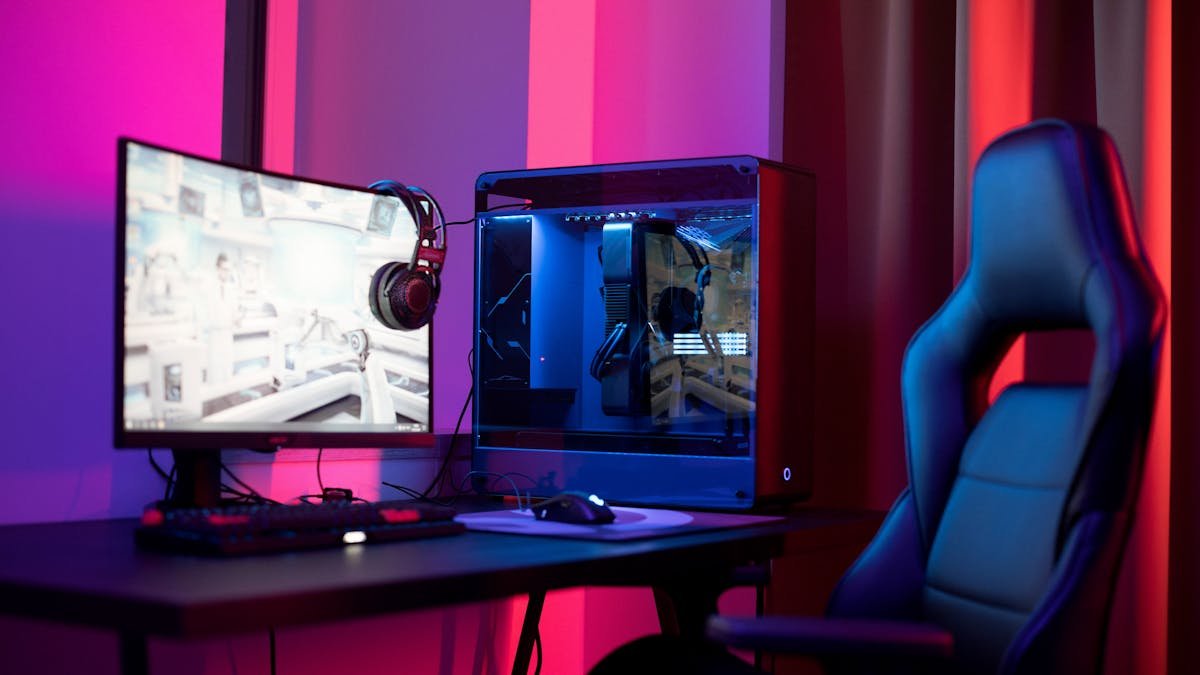
Building your own gaming PC is the single best way to get more performance for your money, and 2026 is a surprisingly interesting year to do it. GPU prices are volatile, DDR5 has surged in cost, and budget builders are discovering that last-generation AM4 platforms still deliver outstanding value. This guide walks you through every step, from picking parts to pressing the power button for the first time.
If you want a pre-configured parts list, check out our best budget gaming PC build under $800. For GPU comparisons, see our RTX 5070 vs RTX 4070 breakdown.
Choosing Your CPU — The Brain of Your Build
Your processor choice determines your entire platform, including which motherboard, RAM type, and cooler you need. Here are the best options at each price point in 2026:
Budget (under $150):
- AMD Ryzen 5 5500 (~$92) — Six cores, twelve threads, DDR4 support on the AM4 platform. This is the cheapest viable gaming CPU in 2026, and it punches well above its price. You sacrifice PCIe Gen 4 GPU lanes (it runs at Gen 3), but for a budget build the performance-per-dollar is unmatched.
- AMD Ryzen 5 5600 (~$130) — The better-binned sibling with full PCIe Gen 4 support. If your budget can stretch an extra $38, this is the sweet spot for AM4 builds.
Mid-range ($200-$250):
- AMD Ryzen 5 9600X (~$214) — Six cores on the new AM5 platform with DDR5 support. This is where you step into current-gen territory. Gaming performance is excellent, and the AM5 platform gives you a clear upgrade path to future Ryzen processors.
Best gaming CPU (no budget limit):
- AMD Ryzen 7 9800X3D (~$450) — The undisputed king of gaming CPUs thanks to its 3D V-Cache technology. If you are pairing with a high-end GPU and targeting 240+ fps in competitive games, this is the chip to buy.
Choosing Your GPU — Where Your Money Matters Most
The GPU market in early 2026 is turbulent. NVIDIA’s RTX 50-series launched with severe supply issues, and pricing reflects that. Here is the realistic landscape:
- Ultra-budget: Intel Arc B580 (~$235) — The best GPU under $250, period. It trades blows with the RTX 4060 in rasterization and offers 12GB VRAM. Driver stability has improved dramatically since launch.
- Mid-range: AMD RX 7600 (~$250-270) — Solid 1080p performance with 8GB VRAM. Competes with the Arc B580 but falls behind in ray tracing.
- Performance: NVIDIA RTX 5070 (~$639 street price) — This should be a $549 card at MSRP, but stock shortages have pushed prices up. When you can find one, it delivers RTX 4080-class performance with DLSS 4 and Frame Generation.
- Flagship: NVIDIA RTX 5090 (~$3,500+ street price) — Currently trading at 75% or more over its $1,999 MSRP. Unless you absolutely need the best of the best, wait for supply to normalize.
Critical advice: Avoid any GPU with only 8GB VRAM if you plan to play modern AAA games at high settings. 12GB is the realistic minimum for 2026 and beyond.
RAM — DDR4 vs DDR5 in 2026
DDR5 memory prices have surged 300-500% due to supply chain issues and surging AI demand for HBM, which has affected DRAM production allocation. This makes DDR4 builds on AM4 significantly more affordable:
- Budget builds (AM4): 16GB DDR4-3200 CL16 — Plenty for gaming, widely available, and cheap.
- Performance builds (AM5): 32GB DDR5-6000 CL30 — The sweet spot for Ryzen 9000-series. AMD’s Infinity Fabric syncs optimally at DDR5-6000, so going faster yields diminishing returns.
If DDR5 prices are a dealbreaker, consider sticking with the AM4 platform. A Ryzen 5 5600 with DDR4 still delivers an excellent gaming experience at a fraction of the cost.
Storage, PSU, and Case
Storage: A 1TB Gen 4 NVMe SSD is the best value for gaming in 2026. Gen 5 drives exist but offer marginal benefit for game loading times while costing significantly more. Budget pick: any reputable 1TB Gen 4 NVMe for $60-80.
Power supply: For RTX 50-series GPUs, you want an ATX 3.1 PSU with the native 12V-2×6 power connector. This eliminates the need for adapter cables and provides cleaner power delivery. A 750W unit is sufficient for most builds; 850W gives headroom for the RTX 5070 Ti and above. Never cheap out on the PSU — a failing power supply can destroy every component in your system.
Case: Prioritize airflow over aesthetics. Look for mesh front panels, support for at least two 120mm or 140mm front intake fans, and enough clearance for your GPU length. Measure your GPU before buying — modern cards are enormous.
Three Complete Builds for 2026
Budget Build (~$668):
- CPU: AMD Ryzen 5 5500 ($92)
- GPU: Intel Arc B570 ($179)
- RAM: 16GB DDR4-3200 ($30)
- Motherboard: B550 Micro-ATX ($80)
- Storage: 1TB Gen 4 NVMe SSD ($65)
- PSU: 650W 80+ Bronze ($55)
- Case: Budget mesh airflow case ($50)
- CPU Cooler: Stock AMD Wraith Stealth (included)
Mid-Range Build (~$800):
- CPU: AMD Ryzen 5 5600 ($130)
- GPU: Intel Arc B580 or AMD RX 7600 ($235-270)
- RAM: 16GB DDR4-3200 ($30)
- Motherboard: B550 ATX ($90)
- Storage: 1TB Gen 4 NVMe SSD ($65)
- PSU: 650W 80+ Bronze ($55)
- Case: Mid-tower mesh case ($65)
- CPU Cooler: Tower air cooler ($25)
Performance Build (~$1,491):
- CPU: AMD Ryzen 5 9600X ($214)
- GPU: NVIDIA RTX 5070 ($639)
- RAM: 32GB DDR5-6000 CL30 ($140)
- Motherboard: B650 ATX ($160)
- Storage: 1TB Gen 4 NVMe SSD ($65)
- PSU: 850W ATX 3.1 80+ Gold ($120)
- Case: Quality airflow mid-tower ($85)
- CPU Cooler: Tower air cooler ($35)
Build Order — Step by Step
Follow this order to minimize difficulty and avoid damaging components:
- Install CPU onto the motherboard. Align the golden triangle on the CPU with the triangle on the socket. Lower it gently — zero force required. Close the retention bracket.
- Install RAM into the motherboard. Open the clips on the DIMM slots. For two sticks, use slots A2 and B2 (second and fourth from the CPU) to enable dual-channel mode. Press firmly until the clips click.
- Install your NVMe SSD. Locate the M.2 slot (usually has a heatsink cover), insert the drive at an angle, and screw it down.
- Install the CPU cooler. Apply thermal paste (a pea-sized dot in the center of the CPU) if the cooler doesn’t have pre-applied paste. Mount the cooler, plug the fan cable into the CPU_FAN header.
- Install the motherboard into the case. Install the I/O shield first (if separate), align the motherboard standoffs, and screw it in.
- Install the GPU. Remove the appropriate PCIe slot covers from the case, insert the GPU into the top x16 PCIe slot, and screw it in.
- Install the PSU. Mount the PSU in the bottom of the case (fan facing down if your case has a bottom vent). Route cables through the back panel.
- Connect all cables. 24-pin ATX power to the motherboard, 8-pin CPU power (top-left of motherboard), GPU power cables, front panel connectors (power button, USB, audio), and SATA power for any additional drives.
Before closing the case: Connect a monitor, keyboard, and power cable. Press the power button. If it POST’s (you see the BIOS screen), you are good. If not, check the motherboard’s debug LEDs or beep codes.
Post-Build Setup
Once you see the BIOS:
- Enable XMP (Intel) or EXPO (AMD) in the BIOS to run your RAM at its rated speed. Without this, DDR4-3200 runs at 2133MHz and DDR5-6000 runs at 4800MHz — a massive performance loss.
- Set boot priority to your USB drive with Windows on it.
- Install Windows, then immediately install GPU drivers from NVIDIA, AMD, or Intel’s website.
- Install chipset drivers from your motherboard manufacturer’s website.
Common Mistakes to Avoid
- Buying a cheap PSU. This is the number one mistake new builders make. A failing PSU can destroy your entire system. Stick with reputable brands and 80+ Bronze or better efficiency ratings.
- Not checking compatibility. Use PCPartPicker to verify that your CPU, motherboard, RAM, and case all work together. AM4 CPUs do not fit AM5 motherboards. DDR4 does not fit DDR5 slots.
- Buying a GPU with only 8GB VRAM. Games like The Last of Us Part II, Star Wars Outlaws, and Alan Wake 2 already exceed 8GB at high settings. 12GB is the safe minimum for a build you want to last.
- Forgetting to enable XMP/EXPO. Your RAM runs at a lower default speed unless you manually enable the profile in BIOS. This is free performance you are leaving on the table.
- Installing the motherboard without standoffs. Standoffs are brass spacers that prevent the motherboard from shorting against the case. Most modern cases have them pre-installed, but verify before mounting.
Quick Tips / TL;DR
- AM4 with DDR4 is still the best value platform in 2026 due to DDR5 price surges
- The sweet spot GPU is the Intel Arc B580 at $235 for budget, or the RTX 5070 at ~$639 for performance
- 32GB RAM is recommended for AM5 builds; 16GB is fine for AM4 budget builds
- Always enable XMP/EXPO in BIOS after building
- Never cheap out on the PSU — buy ATX 3.1 with 12V-2×6 for RTX 50-series
- Gen 4 NVMe SSDs are the best value; Gen 5 is overkill for gaming
- Use PCPartPicker to check compatibility before buying anything